Changelog

Follow new updates and improvements to The Hive.

feature

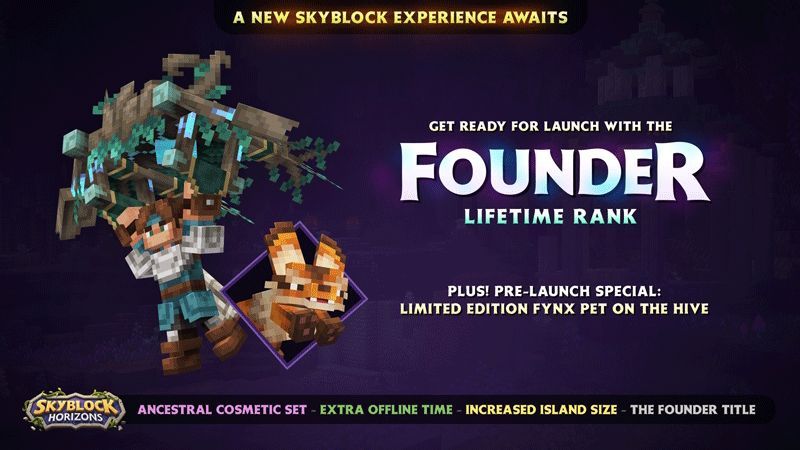
SkyBlock Horizons Founder rank pre-sale starts NOW - get your Fynx walking pet!

SkyBlock Horizons, our brand new MMO, launches this year(*)! Become a Founder and get exclusive rewards.

Pre-purchase the SkyBlock Horizons Founder rank on the Hive server at the introductory price of 2550 Minecoins (or 16 Gift Tokens) and get INSTANT access to the Fynx pet on The Hive! The Fynx has made his way over from the vast world of Horizons, and picked up a neat trick over there: walking!

By buying the rank during the pre-sale, you’ll have the Founder rank from day 1 on Horizons, including a great selection of unique cosmetics, private-island benefits, and 500 SkyBlock Gems to get you started.

We can’t wait to welcome you to the wonderful of Horizons.

SkyBlock Horizons is a separate experience from The Hive. Rewards are linked to the account you purchase with. Check out our full FAQ for details! Our support team, and volunteers, can not provide additional information not covered on the FAQ/support website.

(*): public release date subject to change due to technical and compliance reviews.
feature

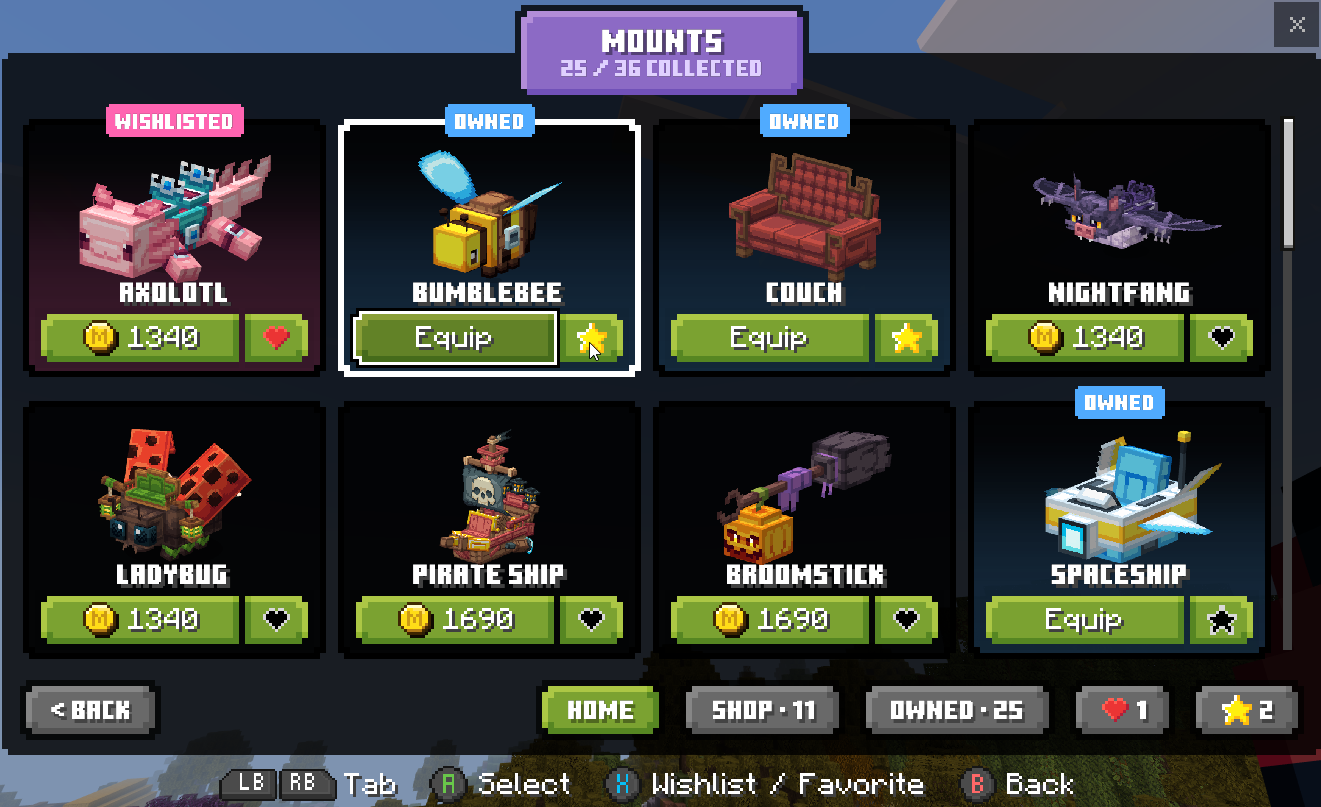
Hub Cosmetics Menu: Favoriting and Home tab improvements

Thank you for all the feedback regarding the new Hub Cosmetics menu! We’ve made additional improvements based on community feedback:

  • You can now favorite cosmetics. Favorited cosmetics can be viewed and equipped from both the new Favorites screen, and from the Home tab in each category.

  • The Home tab will now show all your Owned cosmetics:

    • Wishlisted and NEW cosmetics appear first

    • All your favorited cosmetics in a category will appear second

    • At most 4 unowned cosmetics will show third

    • The remainder of your owned cosmetics will show last

  • We’ve made various performance improvements, mainly noticeable when opening a tab with a lot of cosmetics

  • You can now toggle your Wishlist Privacy directly from the My Wishlist screen

feature

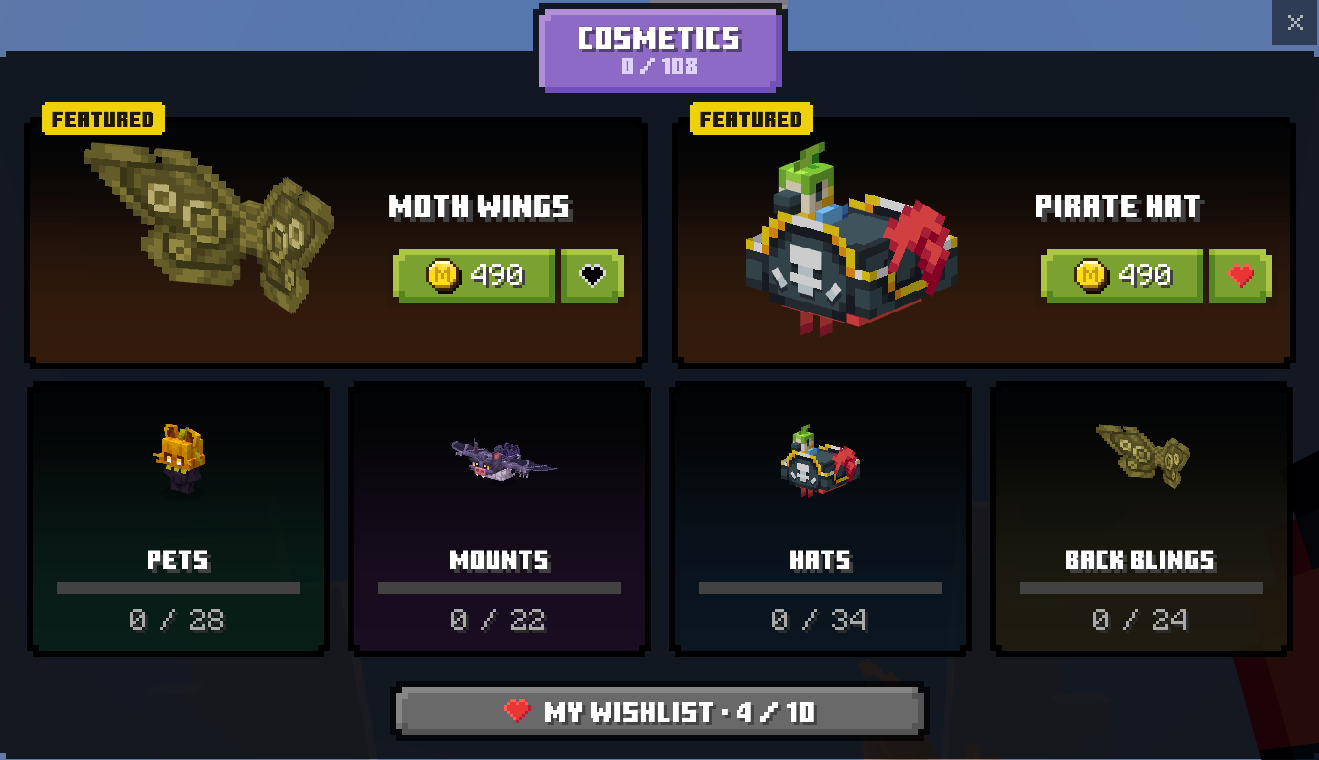
Hub Cosmetics Visual Overhaul, and Cosmetic Wishlisting!

paws at you New hub cosmetics menu?

paws at you New hub cosmetics menu?

paws at you New hub cosmetics menu?

Our initial redesign of the Hub Cosmetics is now live! With it, we’re also introducing wishlisting: simply mark a cosmetic with the heart, and it’ll save it to your wishlist.

You can easily view your wishlisted items from the new menu for future reference. To view the wishlists of your friends, check the new Friends’ Wishlists button on the Gifting menu, or punch them with the gifting item in the hub (it doesn’t hurt them, trust us).

We’ll keep expanding this functionality over time, including a future visual update to the gifting menu itself. We suggest filling up your wishlist when you can: over the Block Friday and Christmas periods, it might just get you some freebies - more on this later!

By default, your wishlist is visible to your friends only. You can change this in /settings under the new Social setting, and change it to Public or Private instead.

We’d love your feedback on the new menu and the wishlist system - either as a comment on this update, or as a bigger suggestion on our Forums!

feature

New Player Setting: Default join region

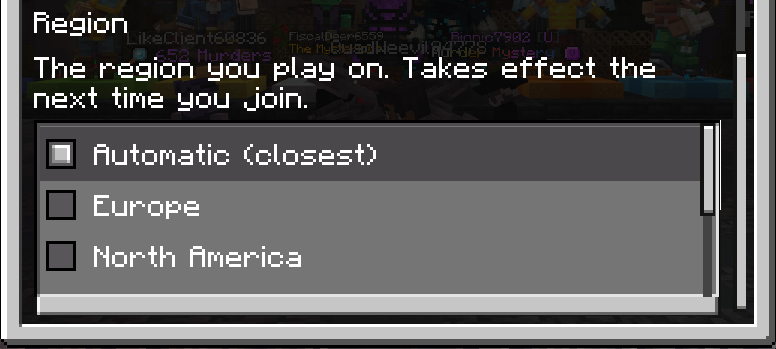
Scientists reveal the new Hive player setting! You can now set your default region without needing to add a special server entry, across all platforms.

Run /settings to access your Hive settings, select Experience, and modify your Region. All your future joins will automatically join that region (except for when a region is unavailable for maintenance).

For most players, we suggest keeping this set to the default Automatic option. However, if your automatic region isn’t the best for you, or if you simply prefer a different default region, this setting is for you!

This setting only works on the most recent 2 Minecraft versions. We’ve recently changed our server IPs, see our support website for the most up to date information.

feature

Auto friend-hub joining returns!

The automatic joining of the hub that contains the most number of your online friends, a feature that existed before the release of the Ultimate rank, has returned!

Regular players will auto join hubs up to 60 players, Plus members up to 70, and Ultimate up to 80. This is subject to change based on community feedback.

Ultimate members can join any public hub, with up to 99 online players, using the Hub Selector.

A new Social toggle, Join Friends' Hubs, has been added to opt-out of this. This toggle is slowly rolling out and may not be available on all regions yet.

feature

Native Minecraft Parties support

Minecraft Bedrock 26.20, releasing today, introduces a native Party System to Minecraft, in Beta status.

Currently, support and integration between The Hive and the native Minecraft parties is very basic: you’ll be able to see and follow the party leader into The Hive, but without features such as game and hub auto-switching. If your region is different than that of the party leader, you’ll connect to your own region, not that of the leader.

We intend to support basic auto creation of Hive parties based on your game party in the near future, which will enable server-side party auto follow.

As the game party system expands in future Minecraft game updates, we’ll fully integrate with the system for the best experience. For now, we suggest utilizing the Hive (server-side) party system to access all features.

feature

Free weekly XP Booster!

You can now claim a weekly FREE XP Booster from the Hive Store UI! Simply navigate to it using the /store command, or interact with the Store NPC to the left of Hub spawn. Find this and other free items in the FREE tab.

You can claim a new booster once a week, starting each Monday at midnight UTC. When a new claim is available, or if you have other unclaimed free offers, the Store NPC in Hubs will show this in its tagline. You must claim it within each week, unclaimed ones do not stack.

Activate your booster using the /booster command.

We are looking to add additional recurring free items to this tab and are open to feedback!

feature

Beewind 2025: Your personalized Hive 2025 recap!

As 2025 wraps up, it's time for the first Hive Beewind ever: your personal Hive recap!

Your Beewind statistics contain data from January 1st, 2025, until November 30th, 2025, inclusive. This feature is only available for active players during this time - you won’t get one if you didn’t play during that time.

To get your Beewind, simply join the Hive server and be on the lookout for a Mailbot message. By default, your image is private: you can get a public sharing link by pressing the toggle below the image. After you’ve toggled this on, you can access the image from any browser at myhive.report/USERNAME

We’d love to hear your thoughts: you can leave feedback on this changelog post, or submit long-form suggestions on our forums. Based on player feedback and suggestions, Beewind might return in 2026!

4 comments
featurebedwars

In-Game Leaderboards: Minor improvements

The in-game leaderboards (/leaderboards command) have received some minor improvements:

  • Seasonal leaderboards are now supported for BedWars.

  • Seasonal statistics are now shown on full player profiles.

  • All-time positions (rankings) are now shown on full player profiles.

  • Fixed an issue where the leaderboard position (ranking) was off-by-one on full player profiles.

2 comments
featurenotification

Vibrant Visuals - Now Enabled on All Regions

Vibrant Visuals is now available on all regions and can be enabled in the /settings menu.

Vibrant Visuals is disabled by default. To enable it, follow the steps below:

  1. Enable Vibrant Visuals in your Minecraft settings (Settings > Video > Graphics Mode)

  2. Join The Hive (only North America is supported at this time)

  3. Type /settings in your chat

  4. In the menu that appears, navigate to ‘Experimental’ settings

  5. Enable the Vibrant Visuals toggle, and press ‘Submit’

  6. Rejoin The Hive

To enable Vibrant Visuals, you must be using Minecraft version 1.21.120 or above.

This feature is experimental and may be disabled if gameplay issues arise. If you encounter any bugs, please notify us by contacting our support team or by submitting a bug report.