Hub Cosmetics Menu: Favoriting and Home tab improvements
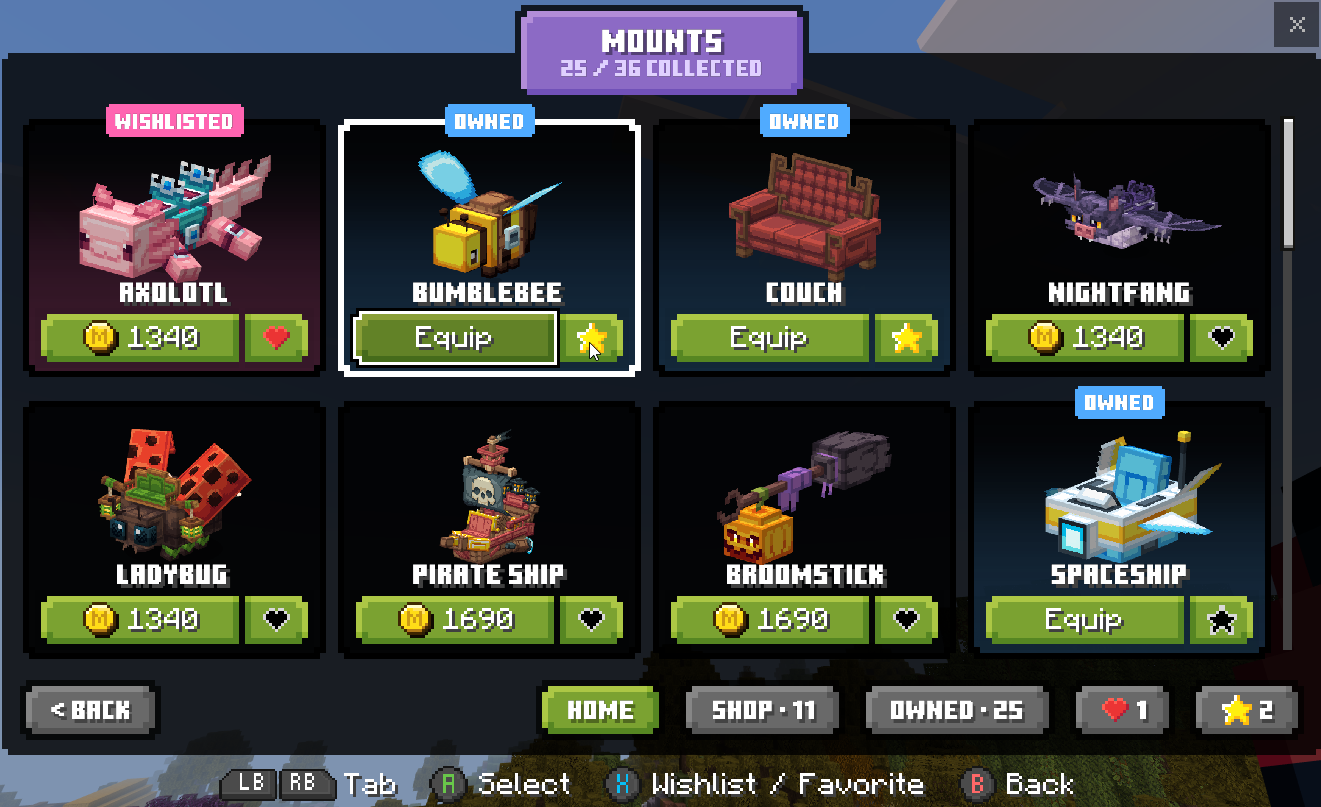
Thank you for all the feedback regarding the new Hub Cosmetics menu! We’ve made additional improvements based on community feedback:
You can now favorite cosmetics. Favorited cosmetics can be viewed and equipped from both the new Favorites screen, and from the Home tab in each category.
The Home tab will now show all your Owned cosmetics:
Wishlisted and NEW cosmetics appear first
All your favorited cosmetics in a category will appear second
At most 4 unowned cosmetics will show third
The remainder of your owned cosmetics will show last
We’ve made various performance improvements, mainly noticeable when opening a tab with a lot of cosmetics
You can now toggle your Wishlist Privacy directly from the My Wishlist screen