Changelog

Follow new updates and improvements to The Hive.

game updatebuild battle

Speed Builders: Best Times Menu & Winterfest Builds

Winterfest has come to Speed Builders, bringing seasonal builds and a new best times menu!

Want to see how fast you've completed each build? Head to the Speed Builders lobby and check out the brand new best times menu! Your personal record for every build is now just a click away.

We hope you’ve been practising your building skills because this update also brings 28 festive builds into the mix, including 3 brand new boss builds for you to master!

game updatebuild battle

Build Battle: Quality of Life Update

This update includes various quality-of-life improvements, community-suggested features, and bug fixes.

Changes

  • Added a new Plot Settings menu, allowing you to change the weather and time of your plot, reset the floor, and clear your build.

  • Added a Special Tools category to the creative inventory, along with the following new items:

    • Magic Water Bucket – Fills a large area with water.

    • Magic Lava Bucket – Fills a large area with lava.

    • Magic Sponge – Removes liquid from a large area.

  • Bonemeal now places grass and foliage when used on grass or moss blocks.

  • Builds are now rated using a 1–5 star system.

  • Floor blocks can now be broken, and blocks can be placed within the floor.

Bug Fixes

  • Fixed a bug where only one crimson slab was dropped from broken crimson double slab blocks in Speed Builders.

  • Fixed a bug where quest progress was not awarded in Speed Builders for playing or winning a game.


This update is now available to play in our North America and Europe regions and will soon be available in our Asia region.

game updatebuild battle

Just Build: Mini Update

A mini update has been released for Just Build, and is rolling out to all regions now!

New Block Toggles

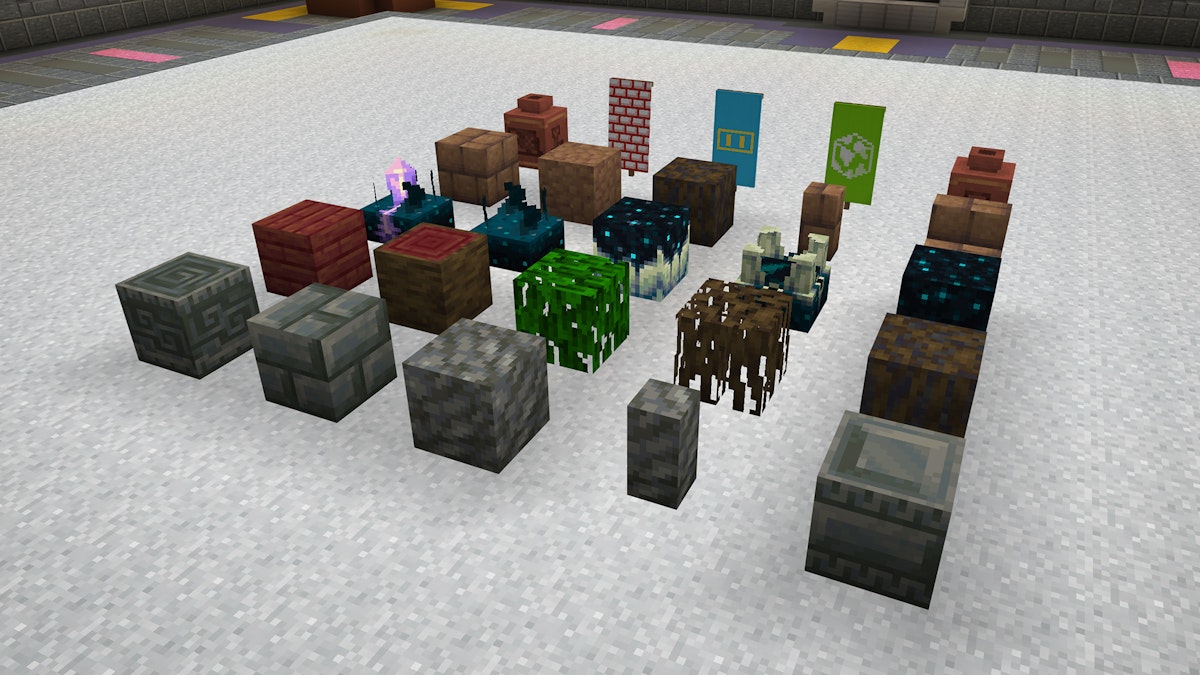
Block toggles allow you to right-click (or long-press if on a mobile device) a block to change its appearance or state. You can now toggle the appearance of the following blocks:

  • Chiseled Bookshelves (to configure books)
  • Bee Nests and Beehives (to adjust honey level)
  • Candles (to toggle them lit or unlit)
  • Copper Bulbs (to toggle them on or off)
  • Turtle Eggs and Sniffer Egg (to adjust how cracked they are)
  • Sculk Sensors (to adjust the state)

Decorated Pots & Banners

You can now change the appearance of certain blocks by right-clicking (or long-pressing if on a mobile device) them with items.

  • Right-click a Decorated Pot with sherds to change its appearance
  • Right-click a Banner with a pattern or dye to change its appearance

Bug Fixes

  • Fixed an issue that prevented certain blocks from being taken out of the creative inventory

New Blocks

Over 50 new Vanilla Minecraft blocks have been added to the game:


Mud Blocks

  • Packed Mud
  • Mud Bricks
  • Mud

Sculk Blocks

  • Sculk
  • Sculk Vein
  • Sculk Catalyst
  • Sculk Shrieker
  • Sculk Sensor
  • Calibrated Sculk Sensor

Leaves

  • Mangrove Leaves
  • Cherry Leaves

Flowers

  • Pink Petals
  • Pitcher Plant
  • Torchflower

Buttons

  • Mangrove Button
  • Cherry Button
  • Bamboo Button

Wooden Planks

  • Mangrove Planks
  • Cherry Planks
  • Bamboo Planks
  • Bamboo Mosaic

Doors

  • Mangrove Door
  • Cherry Door
  • Bamboo Door
  • Copper Door (and oxidized variants)

Trapdoors

  • Mangrove Trapdoor
  • Cherry Trapdoor
  • Bamboo Trapdoor
  • Copper Trapdoor (and oxidized variants)

Copper Blocks

  • Copper Grate and (and oxidized variants)
  • Chiseled Copper (and oxidized variants)
  • Copper Bulb (and oxidized variants)
  • Cut Copper

Tuff Blocks

  • Tuff Stairs
  • Tuff Slab
  • Tuff Wall
  • Chiseled Tuff
  • Chiseled Tuff Bricks
  • Polished Tuff
  • Polished Tuff Stairs
  • Polished Tuff Slab
  • Polished Tuff Wall
  • Tuff Bricks
  • Tuff Brick Stairs
  • Tuff Brick Slab
  • Tuff Brick Wall

Miscellaneous Blocks

  • Sniffer Egg
  • Trial Spawner
  • Vault
  • Heavy Core
  • Decorated Pot
  • Froglight Blocks
  • Mangrove Roots
  • Chiseled Bookshelf
  • Crafter
  • Candles
game updatebuild battle

Just Build: Theme Voting

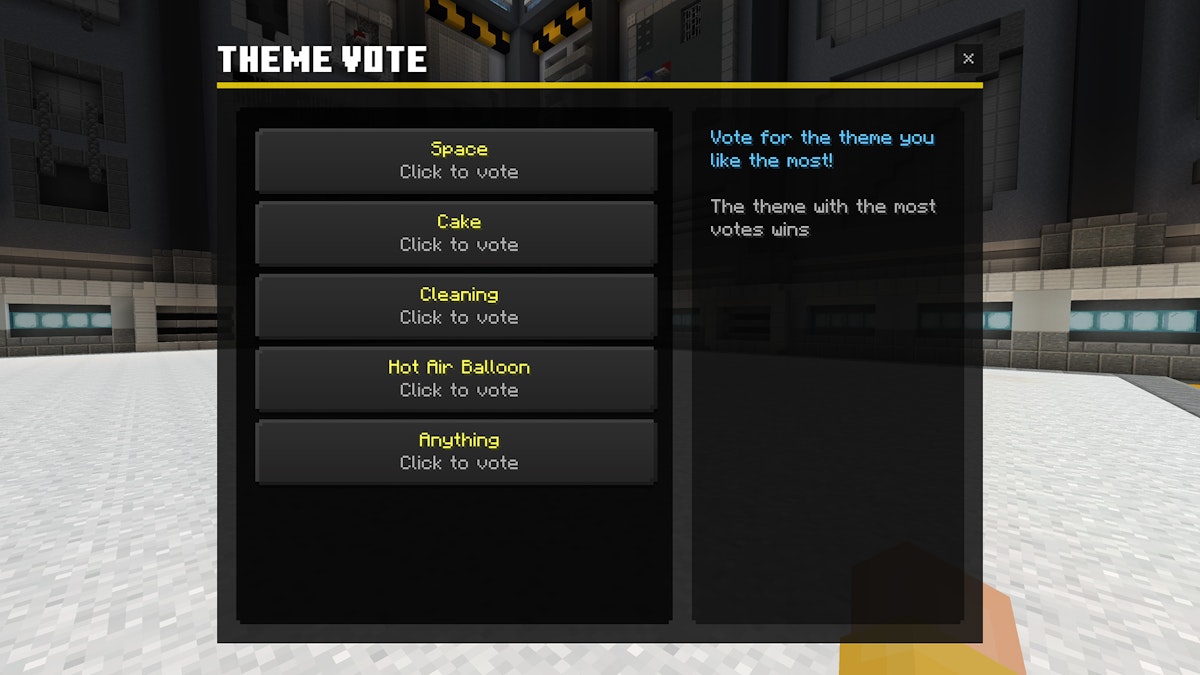
Today, we are deploying a heavily requested feature for Just Build: Theme Voting.

When the game starts, you can vote for your favorite of 5 random themes. The theme with the most votes will be chosen for the round.

Additionally, we have added a custom server option, allowing you to enable/disable theme voting.

We hope you like this quality-of-life update to Just Build, and we can't wait to see your awesome builds!

featurebuild battle

Just Build: more voting options & in-game reporting

This update is currently only available on our EUROPE and North America regions.

We've added two much requested features to Just Build!

NEW VOTE OPTIONS: Two new vote options are now available: "Okay" and "Great"

IN-GAME REPORTING: Whether inappropriate or off-topic, you can now report builds that don't follow the rules or theme.

We will closely monitor the reporting feature to make sure it achieves it goals without any side effects.

build battle

NEW Game: Just Build

Show off your building skills in our brand new minigame: Just Build!

Available in both solos and duos variants, Just Build is a Build-Battle style minigame. When the game starts, a theme will be picked. You have 5 minutes to build your best interpretation of this theme, after which the voting phase starts. Pick from 'Meh', 'Good' or 'Love' for each competing build. The team that receives the best ratings wins!

Level up to unlock brand new cosmetics, both in-game and global ones, including a free costume for reaching maximum level 20. Want to get there a bit faster, as well as receiving many other perks? Consider getting Hive+, our premium rank.

Want to know what's coming next to The Hive? Periodically check our public Roadmap for the latest and greatest. Want early sneak peeks and discuss them with the community? Join our Discord! Get your bees in line, Swarms are coming...